
need tools to handle sales quickly, keep track of stock, and understand what customers buy most. That’s where point of sale software for small business free comes in. These programs let you accept payments, manage items, and see reports without paying monthly fees. Many small shop owners, cafe runners, and service providers in places like Karachi use them every day.
In 2026, free POS options have grown stronger. They work on phones, tablets, or computers. Some even let you sell when the internet goes out. This guide explains what point of sale software does, why free versions help small businesses, and the top choices today. We look at real features from trusted providers to help you pick the right one.
What Does Point of Sale Software Do?
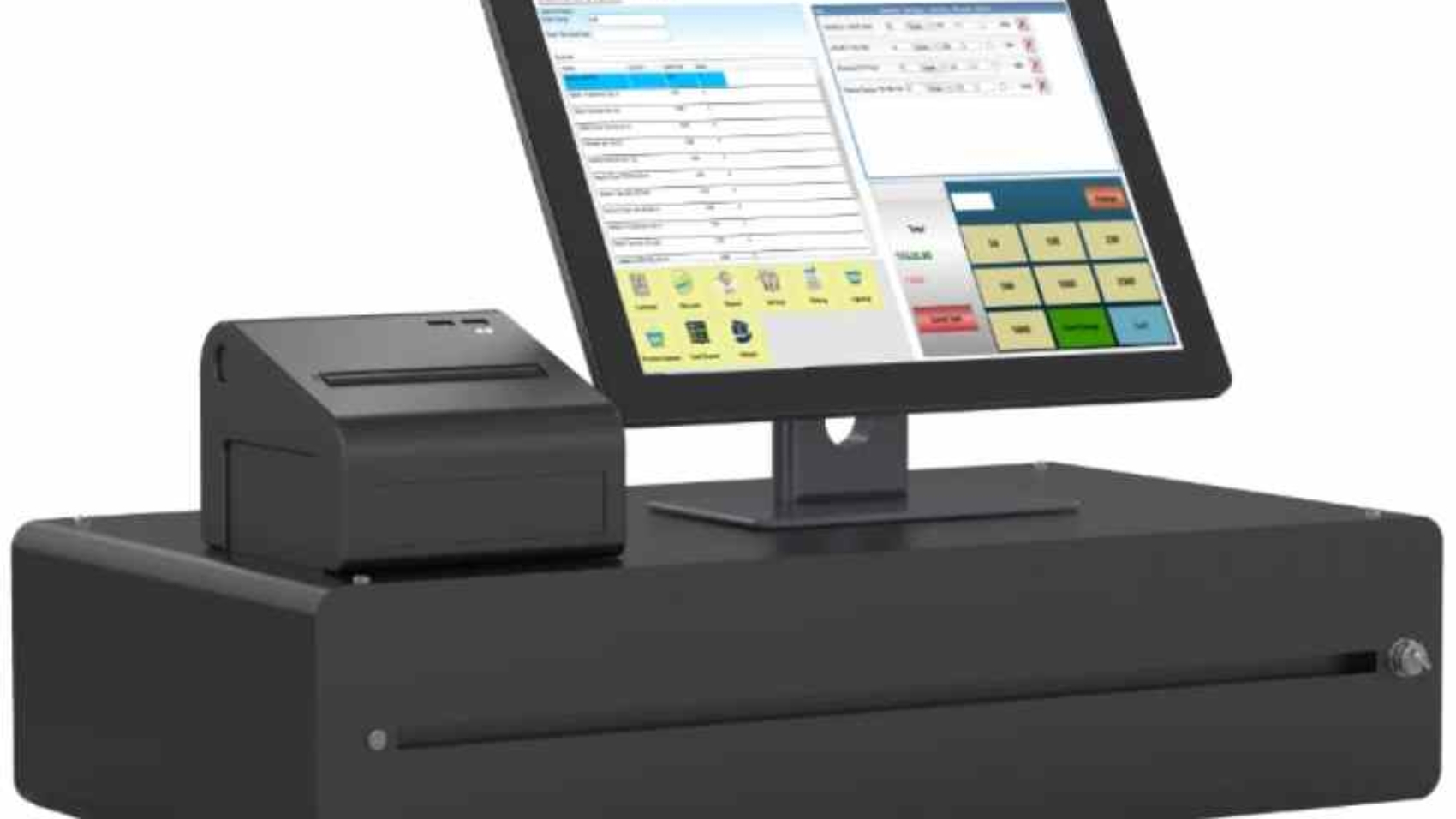
Point of sale software is like a smart cash register. It does more than just take money. When a customer buys something, the system records the sale right away. It updates your stock list so you know what is left. It can print or send receipts. It also shows you helpful info, like which items sell best or when busy times happen.
For small businesses, this means less time counting cash by hand and fewer mistakes. You spend more time helping customers and growing your shop. Many systems now run on simple devices you already own, like an old Android phone or Windows PC.
Basic jobs include:
- Taking payments in cash, card, or mobile wallet.
- Tracking every item sold.
- Sending bills or invoices.
- Watching stock levels to avoid empty shelves.
- Keeping notes on regular customers.
Advanced free tools add loyalty rewards, employee shifts, and sales trends. These help you make better choices without extra cost.
Why Choose Point of Sale Software for Small Business Free?

Small business owners often start with little money. Paying for software each month can hurt. Free POS solves that. You get strong tools at zero cost for basics. Only pay small fees when you take card payments, if at all.
Here are clear benefits:
- Save Money Right Away — No setup fees or monthly bills. Use the cash for buying stock or fixing your shop.
- Quick and Simple Start — Download the app or software. Set it up in under an hour. No need for big computers or experts.
- Work Without Internet — Many free systems have offline mode. Keep selling during power cuts or slow Wi-Fi, common in areas like Pakistan. Sales save and send later.
- Better Stock Control — See low items fast. Order more before you run out. This stops lost sales and wasted money on too much stock.
- Understand Your Sales — Look at reports to spot top products. Know busy hours. Change prices or specials based on real data.
- Keep Customers Coming Back — Add simple loyalty points. Give discounts to regulars. Happy customers buy more often.
- Grow as You Go — Start free. Add paid extras only when needed, like more stores or special reports.
Studies show businesses using POS tools see better profits. One report notes many owners use data to plan promotions and keep staff happy. Free options make this possible for everyone.
In Pakistan, where small shops and cafes are common, these tools fit well. They handle local needs like mobile payments and offline use during load-shedding.
Top Choices for Point of Sale Software for Small Business Free

Many good free POS systems exist in 2026. We focus on three strong ones: Loyverse, Square, and SalesPlay. They rank high because they give real value without tricks.
Loyverse: Perfect for Simple and Small Shops
Loyverse stands out as a truly free POS with lots of power. Over 1 million businesses in 170 countries use it, including many in Pakistan.
What you get free:
- Full sales checkout on phone or tablet.
- Real-time inventory with low stock alerts.
- Print or email receipts.
- Employee clock-in and sales tracking.
- Built-in loyalty program for customer points.
- Reports on sales, profits, and best items.
- Offline mode to record sales without net.
- Multi-store view if you open more locations.
It works great for cafes, small retail stores, salons, and food vendors. Turn your Android or iOS device into a POS fast. Connect barcode scanners or printers easily.
Good points: No ads, supports many languages, easy for beginners. Offline works well, but some actions like refunds need internet later.
Small downsides: Some add-ons cost extra, like advanced employee tools starting low.
Many call it the best free offline pos software download for pc option because the back office works in any browser. Check it out at Loyverse.
Square: Great All-Around Choice with Easy Payments
Square gives free software trusted by over 4 million users. It focuses on simple setup and strong payment options.
Free features include:
- Accept all major cards, contactless, and mobile pay.
- Inventory tracking with alerts and item options.
- Sales reports and trends in real time.
- Invoicing for customers who pay later.
- Offline payments that sync when back online.
- Virtual terminal for phone or computer sales.
- Customer profiles to remember favorites.
No monthly cost. You pay only per transaction, like 1.75% for in-person in many places.
It suits startups, retail shops, food trucks, and services. Works on iPhone, Android, or iPad. Add cheap hardware if needed.
Why it’s popular: Very user-friendly. Great analytics help you grow. Offline mode keeps business going.
A few limits: Advanced marketing or team tools cost extra. But the basics stay free forever.
Square often tops lists as the best point of sale software free download for flexible needs. See more in their guide at Square’s free POS page.
SalesPlay: Strong for Growing Shops with Multiple Locations
SalesPlay offers a complete free cloud POS. It targets small to medium businesses that might have more than one shop.
Free tools cover:
- Mobile sales on smartphone or tablet.
- Centralized inventory for all locations.
- Customer CRM with history and loyalty points.
- Employee roles, commissions, and cash tracking.
- Dashboards for sales, profits, and trends.
- Offline sales recording with auto-sync.
- E-receipts and scanner support.
It works in over 100 countries and serves many industries. Great for retail chains or multi-outlet cafes.
Strong sides: Handles growth well. Real-time views from anywhere. No hidden fees for core use.
Minor notes: Focuses more on mobile and cloud. Desktop use via browser.
Ideal for supermarket pos software free download full version style needs in small setups. Visit SalesPlay to try it.
How Do These Three Compare?
Pick based on your shop type. Here’s a simple look:
- Loyverse → Best for very small, single-location spots like local cafes or boutiques. Strong loyalty and inventory free.
- Square → Top pick for easy payments and reports. Good if you take lots of cards or sell online too.
- SalesPlay → Wins for multi-shop or growing teams. Excellent central control and CRM.
All three support point of sale software for small business free in Pakistan. They handle offline use well, key in areas with unstable internet.
For a cafe: Loyverse loyalty keeps customers returning.
For retail stores: SalesPlay inventory across items shines.
For salon or service: Square invoicing helps with appointments.
Steps to Pick and Start Your Free POS

Follow these easy steps:
- Think About Your Needs — Do you need strong inventory? Loyalty? Card payments? Write a short list.
- Check Your Devices — Use what you have: Android phone, iPad, Windows PC? All three support common ones.
- Download and Test — Get point of sale software free download from official sites. Try for a week with fake sales.
- Look at Security — All use safe standards for card data. Enable passwords and updates.
- Plan for Growth — Choose one that adds features cheaply later.
- Read Real User Stories — Many small owners share tips online.
This way, you find a fit without stress.
How to Set Up and Use Your New POS
Once chosen, setup is simple.
- Download the app or visit the site.
- Make a free account.
- Add your items with prices and photos.
- Set up payment types.
- Train yourself or staff in a day.
- Start selling!
Tips for success:
- Update stock daily at first.
- Check reports weekly.
- Ask customers to join loyalty.
- Backup data often.
Avoid common mistakes like skipping training or ignoring low stock alerts.
Extra Ways to Get More from Free POS
Use reports to run smart specials. If tea sells most in mornings, offer combos then.
Link to other free tools for emails or accounting.
For better customer talks, explore conversational analytics software.
Keep your system safe with strong passwords.
These steps turn basic free software into a powerful helper.
Common Questions About Point of Sale Software for Small Business Free
What makes point of sale software different from a cash register?
It tracks everything digitally, gives reports, and manages stock automatically.
Is there truly no cost for point of sale software free?
Yes, for basics. Some charge only card fees or optional extras.
Can I get point of sale software free download for windows?
Yes, many like Loyverse back office work on any browser. Others have PC apps.
Does free POS work well in Pakistan?
Yes, offline modes help with internet issues. Loyverse and SalesPlay support many languages and regions.
What about the best point of sale software for small business free in 2026?
Square, Loyverse, and SalesPlay lead based on reviews and features.
Is free offline pos software download for pc reliable?
Yes, top ones sync safely when online returns.
In Conclusion
Point of sale software for small business free changes how you run your shop. Tools like Loyverse, Square, and SalesPlay give sales power, stock control, customer loyalty, and reports without big costs. They fit startups, retail, cafes, salons, and more—even in Pakistan with offline support.
Pick one today. Test it. See sales get smoother and insights sharper. Your business deserves tools that help it grow.
What type of small business do you run, and which feature matters most to you? Tell us below for more tips!
References
- Loyverse: Fully free core POS with inventory, loyalty, employees, and offline sales. Great for small independents in retail, food, and services across 170 countries.
- Square Free POS Software: No monthly fees, strong payments, analytics, and offline mode. Trusted by millions for easy setup in startups and varied small businesses.
- SalesPlay: Free cloud POS with multi-location inventory, CRM, and employee tools. Suited for growing small to medium operations in 100+ countries.
These suit small business owners, entrepreneurs, and micro-enterprises on tight budgets who want essential features like sales, inventory, and analytics without subscriptions.